

The idea of spending your Bitcoin at a coffee shop or paying your Netflix subscription with USDT is no longer a futuristic concept.
If you have been sitting on digital assets that are useful only when converted on an exchange, this guide explains exactly how a Upay crypto debit card changes that equation and why UPay sits at the top of the short list worth considering.
What Is the UPay Crypto Debit Card and How Does It Work?
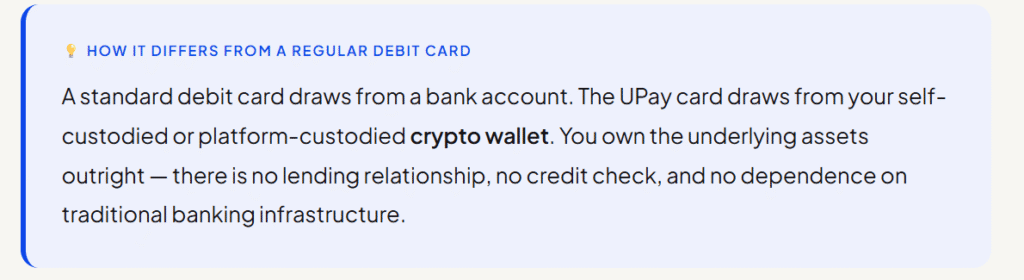
The UPay crypto debit card is a Visa-powered payment card linked directly to your digital asset wallet.
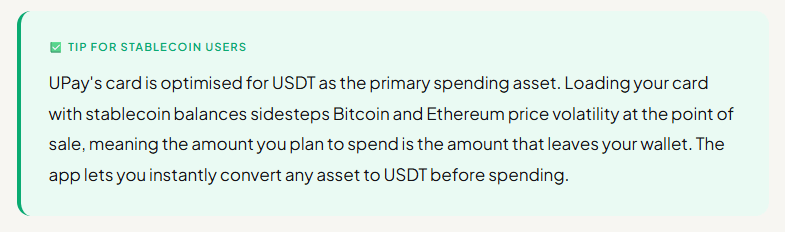
You load it with cryptocurrencies Bitcoin, Ethereum, USDT, USDC, and over 30 other supported assets and spend them anywhere Visa is accepted, online or in person, without ever visiting an exchange or managing a manual conversion.
The card handles everything at the point of sale.
Related Reads: Virtual cards in crypto, gas fee dynamics.
The mechanics work like this.
When you tap your card at a terminal or enter your card details online, UPay’s system queries your wallet balance, pulls a real-time exchange rate, converts the precise crypto amount needed into fiat, and settles with the Visa network in milliseconds.
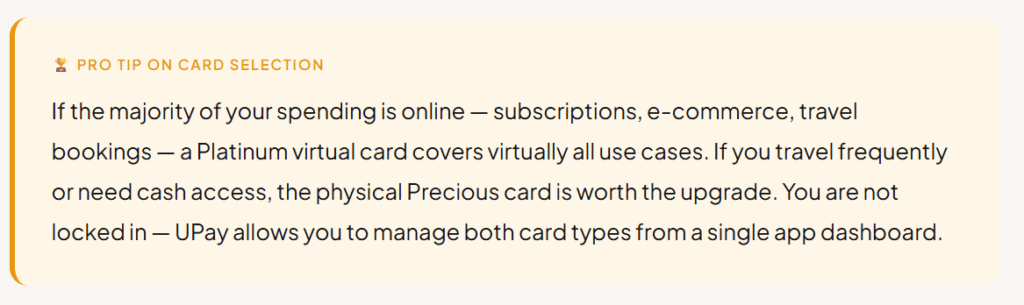
UPay offers both virtual and physical card options, each available in two tiers.
Virtual cards are ideal for online shopping, subscriptions, and NFC payments through Apple Pay and Google Pay.
Physical cards add ATM withdrawal capability and support for EUR and HKD in addition to USD, making them the better choice for travellers and people who need cash on the go.
What Features Make the UPay Card Stand Out
- Instant Crypto-to-Fiat Conversion: Real-time conversion at the point of sale means you never pre-convert and wait.
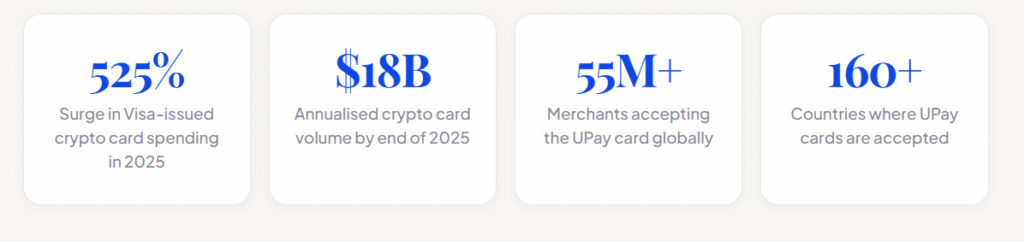
- Global Acceptance: Accepted at over 55 million merchants across 160+ countries — any store, website, or ATM that accepts Visa.
- Collateral-Based Spending: Your crypto acts as collateral to unlock a spending limit, meaning you access funds without liquidating your holdings entirely.
- Apple Pay and Google Pay: Add your UPay card to your digital wallet for contactless tap-to-pay at NFC-enabled terminals worldwide.
- ATM Withdrawals: Physical cards allow cash withdrawals at domestic and international ATMs with fees starting at 0% and reaching up to 3% by tier.
- UPay Savings Lock idle BTC, ETH, USDT, or USDC for 3 to 30 days and earn daily interest. Longer terms unlock higher returns.
What Are the Different UPay Card Tiers and Which One Is Right for You?
1. Virtual Cards: Stellar and Platinum
UPay’s virtual cards are designed for users who primarily shop online, manage subscriptions, or prefer NFC payments through their smartphones.
The Stellar tier is the entry-level option with lower spending limits and a straightforward fee structure.
The Platinum tier supports spending limits of up to 100,000 USDT, making it the right choice for high-volume digital spenders, freelancers receiving crypto payments, and businesses managing recurring online costs.
2. Physical Cards: Euro and Precious
Physical cards add the full range of in-person functionality, including ATM withdrawals and POS terminal use.
They support USD, EUR, and HKD, giving travellers genuine multi-currency flexibility without conversion anxiety.
The Euro tier carries a 50,000 USDT limit, while the Precious tier is built for high-net-worth holders and businesses that need maximum flexibility and the highest available transaction limits.
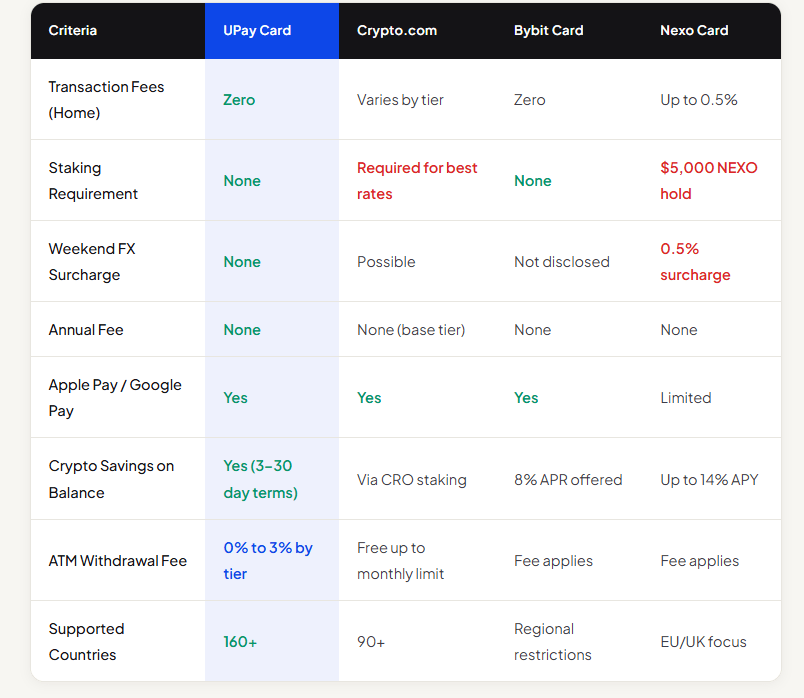
How Does UPay Compare to Other Crypto Debit Cards
How Do You Get and Set Up the UPay Card?
Getting started with the UPay crypto debit card is a five-step process that most users complete in under 15 minutes.
1. Create Your UPay Account
Visit upay. best and complete the sign-up process. Download the UPay mobile app to manage your card, track spending, and convert assets on the go. The app is available on iOS and Android.
2. Verify Your Identity
Complete the KYC process with your government-issued ID. UPay makes verification fast — most users are approved within minutes. Verification unlocks higher spending limits and full access to all card features.
3. Fund Your Wallet
Deposit Bitcoin, Ethereum, USDT, USDC, or any of the 30+ supported cryptocurrencies into your UPay wallet. Your deposited assets act as collateral to unlock your spending limit immediately.
4. Choose and Activate Your Card
Select the virtual or physical card tier that fits your needs. Virtual cards are activated instantly. Physical cards ship to your address and typically arrive within 7 to 14 business days, depending on your region.
5. Start Spending
Add your virtual card to Apple Pay or Google Pay for contactless payments, use it online at checkout, or swipe your physical card anywhere Visa is accepted. The app tracks every transaction in real time.
Read also: Crypto card fees, will crypto replace money?
Conclusion
We’ve moved past the era of just HODLing and hoping. Now, the real utility of your portfolio is measured by how easily you can use it in the physical world.
UPay crypto debit cards remove the friction, giving you the freedom to spend your assets on your own terms.